Product
ATO Vehicle Log Book Template: Copy and Use It
31 July 2026 • 9 min read
Quick Answer
An ATO vehicle log book template should capture the date of each journey, start and end odometer readings, kilometres travelled, and a specific reason for the trip. It should also identify the car and the start and end of the logbook period. Copy the two tables below into a spreadsheet, notes app or paper record, then complete each trip at the end of the journey or as soon as practical.
This template is designed for the record-keeping job: capturing complete trip evidence while the details are fresh. It does not decide whether a trip is deductible or calculate a business-use percentage. Use DriveLog’s ATO logbook method guide for those broader rules, or check the ATO’s current logbook guidance before relying on your records.
Copyable ATO Vehicle Log Book Template
You do not need a special branded form. The ATO says you can keep a paper or electronic logbook, provided the required information is recorded. The practical test is whether another person can understand which car was used, when the journey happened, how far it went and why it was made.
Vehicle and logbook-period details
Copy this block once for each car and logbook period:
| Field | Your record |
|---|---|
| Driver or record owner | |
| Car make and model | |
| Registration number | |
| Engine capacity | |
| Income year | |
| Logbook period start date | |
| Opening odometer reading | |
| Logbook period end date | |
| Closing odometer reading | |
| Total kilometres during the period | |
| Business kilometres during the period | |
| Business-use percentage |
The vehicle block keeps the period summary separate from individual trips. Do not fill the closing figures from an estimate. Reconcile them to the first and last odometer readings for the period after all journeys have been reviewed.
Trip-by-trip record
Copy this header into your spreadsheet or draw it across a notebook page. Add one row for every journey you need to record:
| Date | Start odometer | End odometer | Kilometres | From | To | Specific journey purpose | Business or private | Reviewed |
|---|---|---|---|---|---|---|---|---|
The final three columns are deliberately practical. “Specific journey purpose” prompts a useful explanation instead of a label such as “work”. “Business or private” makes classification visible. “Reviewed” gives you a simple way to mark a row after checking it against your calendar, job sheet or appointment.

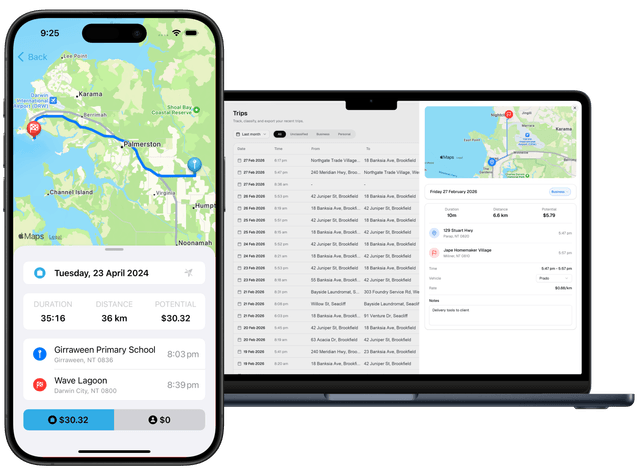
If recording each trip manually becomes difficult, use DriveLog to capture and review journeys while the purpose is still easy to remember.
What Each Template Field Proves
A compact template is useful only when its fields have a clear job. These are the core reasons for keeping each part:
- Date: places the journey inside the selected logbook period and lets you match it to work records.
- Start and end odometer readings: tie the distance to the car’s own cumulative reading rather than an unsupported estimate.
- Kilometres: should equal the end reading minus the start reading. A mismatch is a review flag.
- From and to: add context and make repeated or missing legs easier to spot, even though a street address is not the whole purpose.
- Specific journey purpose: explains why the trip happened. “Client stocktake at Berrimah warehouse” is more useful than “business”.
- Business or private: keeps private kilometres visible rather than silently dropping them from the sequence.
- Period opening and closing readings: reconcile the trip rows with the car’s total travel across the logbook period.
- Vehicle details: distinguish the record when a household or business uses more than one car.
The ATO’s published record requirements focus on the journey dates, odometer readings, kilometres and purpose. The “from”, “to” and “reviewed” columns are workflow aids: they help you keep those required facts understandable and complete. They do not replace the required fields.
Avoid collecting details that look impressive but do not improve the record. Fuel cost, parking, tolls and receipts may matter elsewhere in your car-expense records, but they should not crowd out the trip purpose or odometer readings in the daily log.
Completed Vehicle Log Book Example
Suppose Mia drives from her Darwin workshop to a client’s Palmerston premises to inspect installed equipment, then returns to the workshop. Her log could contain two rows because each leg has its own odometer sequence:
| Date | Start odometer | End odometer | Kilometres | From | To | Specific journey purpose | Business or private | Reviewed |
|---|---|---|---|---|---|---|---|---|
| 31 Jul 2026 | 48,210 | 48,234 | 24 | Darwin workshop | Palmerston client | Inspect installed pump for job 271 | Business | Yes |
| 31 Jul 2026 | 48,234 | 48,258 | 24 | Palmerston client | Darwin workshop | Return after job 271 inspection | Business | Yes |
This example is useful because the readings are continuous, the kilometres can be checked arithmetically, and the purpose names a task. It does not prove that every superficially similar journey is deductible. A normal trip between home and a regular workplace, for example, is generally treated differently from travel between a workplace and a client.
If you need to classify employee trips, use the separate work-related car expenses guide. Keeping that decision outside this template prevents a trip sheet from turning into an unreliable tax-rule checklist.
For private travel, keep the odometer sequence intact. You may record the purpose simply as “private” rather than describing personal details. Omitting a private leg creates a gap between readings and makes the surrounding records harder to reconcile.
Five-Minute Weekly Completeness Check
Choose one consistent time each week and run this short check:
- Follow the odometer chain. Each trip’s start reading should normally match the previous trip’s end reading. Investigate gaps instead of forcing the numbers to balance.
- Recalculate the kilometres. Subtract the start reading from the end reading for each row. Correct arithmetic while the journey is still recent.
- Replace vague purposes. Expand “meeting”, “delivery” or “work” with the client, site, job or task.
- Look for missing private legs. Compare the log with the car’s current odometer, calendar and regular travel pattern.
- Mark reviewed rows. Add a tick, date or initials only after the row has passed the check.
A weekly review is not an ATO substitute or a guarantee that a claim will be accepted. Its value is operational: incomplete records are easier to fix after a few days than after several months. Keep the original information and make corrections transparently rather than inventing a neat history later.
At the end of the logbook period, compare the opening and closing odometer readings with total travel in the trip rows. Then check that the selected period and later-year records meet the current rules in the full ATO logbook method guide.
Paper, Spreadsheet or Automatic Mileage Tracking
The same fields can work in three formats:
| Format | Best for | Main risk to manage |
|---|---|---|
| Paper logbook | One car and a driver who records every trip immediately | Lost pages, unreadable entries and arithmetic errors |
| Spreadsheet | Drivers who want filters, formulas and a printable summary | Delayed entry and accidental formula or row changes |
| Automatic mileage tracker | Frequent drivers who want fewer missed journeys | Unreviewed trips and vague purposes |
Choose the format you will actually maintain. A beautifully formatted spreadsheet is not useful if it is opened only at tax time. An automatic tracker still needs human review because a route alone cannot know why the journey occurred.
For a spreadsheet, protect formula columns and keep a clean original tab. Use a formula for kilometres, such as end odometer minus start odometer, but do not let a formula hide an incorrect reading. Keep backups and export a stable copy when the period is complete.
For automatic tracking, review trips frequently, add specific purposes and make sure the report preserves the required journey and odometer information. DriveLog can help keep that review in one place without changing the ATO rules that apply to your circumstances.
Frequently Asked Questions
Does the ATO provide an official vehicle log book template?
The ATO explains what records a logbook must contain and allows paper or electronic records. You can design your own template or use a commercial product if it captures the required information. This page provides a copyable record structure, not an ATO-issued form.
What must I record for each journey?
Record when the journey began and ended, the car’s odometer readings at the start and end, kilometres travelled, and why the journey was made. Make the purpose specific enough to understand the business connection. The ATO’s logbook record guidance also says the record should be made at the end of the journey or as soon as possible afterwards.
Can I keep the template in Excel or Google Sheets?
Yes, an electronic record can be suitable if it contains the required information and remains reliable. Use the same columns, preserve backups, and review formulas and missing rows. “Excel” describes the file format; it does not make an incomplete record compliant.
Should I record private trips?
Keeping private journeys visible helps preserve a continuous odometer trail and supports the period summary. You can label the purpose “private” without recording unnecessary personal details.
How long is a logbook period?
The ATO generally requires at least 12 continuous weeks when establishing a logbook for the first time, and the period must be representative. That is a method rule rather than a template field, so read the ATO logbook method guide for validity, changed-circumstance and later-year requirements.
Is a logbook template enough to claim car expenses?
No. A complete trip log is one part of the records used under the logbook method. You may also need expense evidence, odometer records and a supportable business-use calculation. If you are still choosing a calculation method, see the cents per kilometre versus logbook comparison.